Click the small yellow arrow in the red square to remove the options from the graph paper.
This visual aid is part of the Shine+Write collection. It can be used on an interactive whiteboard but also projected on to a more traditional whiteboard on which the teacher or student can 'write'. Hence the name Shine+Write!
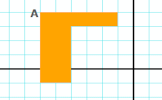
Use the drop down boxes in the Options panel to vary the scale of the graph paper and change to position of the two axes.
Don't forget to make most of the options on the projector remote control too. Most projectors will allow you to 'zoom in' so that you can ensure the picture on the screen best serves your needs.
To print out the graph paper you will first need to go to Page Setup and empty the header and footer fields but select background graphics. I find a scale of 86% is needed for one of my printers.
Answer multiple choice questions about basic mathematical ideas. If you get a number of questions correct you will be invited to post a question of your own. The bank of questions grows larger every day.
The best tool on the Transum website for quickly producing graphs is the Graph Plotter:
Many other visual aids for the Maths teacher are available on this website. There are also an ever increasing number of interactive exercises for students. Browse the collection from the menu at
Transum Mathematics.
Recently Updated
Notation Flash Cards (IB)
An interactive flashcard web application that helps IB Mathematics AA students master exam notation. So far this activity has been accessed 17 times and it is ready for you to enjoy!
"I never trust people with graph paper. I always think they are plotting something!"